
Sales Inbox scans your Gmail account for orders. The AI then reads your email and creates a draft sales order. You review the draft and convert it into a real sales order with one click.
Note: This only works with gmail accounts--which are fee to set up.
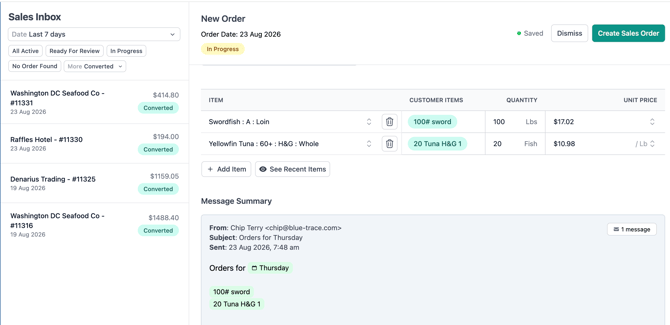
Orders can arrive in several formats, including:
- A handwritten order (e.g., a photo of a note)
- Plain text in the body of an email
- A PDF attached to an email
- A voicemail that has been forwarded to your email
- A text sent to your email.
- Go to Settings/Integrations
- Find Gmail and push Connect
- Log in with the Gmail account you want BlueTrace to monitor — typically your general sales/order-taking inbox (for example, something like
orders@yourcompany.com).
Once connected, BlueTrace will begin reading incoming mail to that inbox.
Where to find itAfter setup, go to Sales > Sales Inbox. You'll see a list of incoming items that BlueTrace has picked up from your Gmail account, each ready for your review.
Converting an email into a sales order- Open the Sales Inbox and review an incoming item.
- Check that BlueTrace has correctly identified the customer and order details.
- Convert it — this creates a real sales order in BlueTrace from the email content.
BlueTrace matches incoming emails to customers using the contacts and email addresses already on file for each customer account.
If you do not have emails on your customers, toggle the switch to "Read emails from unknown contacts"
