
Sign in to your account on our web application to update your method of payment
In order to manage your payment methods, your user needs "billing" permission, if you believe you are missing this permission, please reach out via help@blue-trace.com
- Sign in to the BlueTrace web application: https://app.blue-trace.com/
- Currently this can't be done on a mobile device, use iPad or computer
- Click the Gear icon in the lower left corner
- Click Account
- Click Account Info
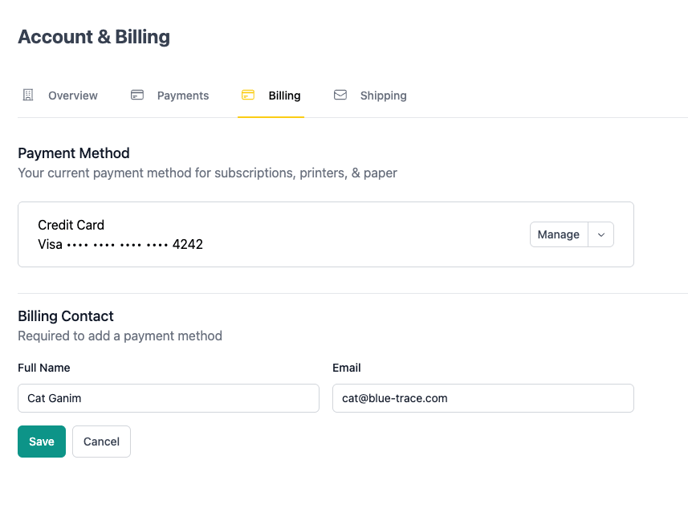
- On the Account & Billing page displayed, click on the Billing tab
If you don't have a payment method added, click "Add"

If you have a payment method on file, you can click "Manage" and then choose to "Edit" or "Remove" the payment method on file.
You may have to click refresh in the browser after removing the payment method.
 Payment Options
- You may enter a credit card
- Please be sure to check off "Save payment details to BlueTrace for future purchases".
- You may use Google Pay.
- Or you may enter a US Bank Account.
- If you use a bank account, you'll have to proceed through a flow connecting your bank for transfers - there may also be a step to confirm a small amount deposited into your bank. Please follow the instructions carefully.